An audit log that can defend itself
A log that anyone with database access can quietly edit is a formality, not evidence. BlackWall chains every entry into the one before it, so altering a single historical row invalidates every row that follows — and the tampering announces itself.
Two defences, not one
Row chaining stops selective edits. It does not, on its own, stop someone replacing the whole table. Signed checkpoints close that second gap.
- Per-row chaining — each entry's hash commits to its predecessor and its own canonical payload.
- Serialised writes — hashes are computed under a database lock, so concurrent activity cannot corrupt the chain.
- Signed tip checkpoints — the last identifier, row count and chain hash are signed together and published outside the database.
- Verification on demand — recompute the tip and confirm the signature; any drift surfaces as a structured failure.
What a checkpoint proves
Tip stability
The row at the recorded identifier still carries the recorded chain hash.
Row-count stability
The number of rows up to that tip matches what was signed, so silent truncation is visible.
Signature validity
The signature still validates under an active or retired signing key.
What gets recorded
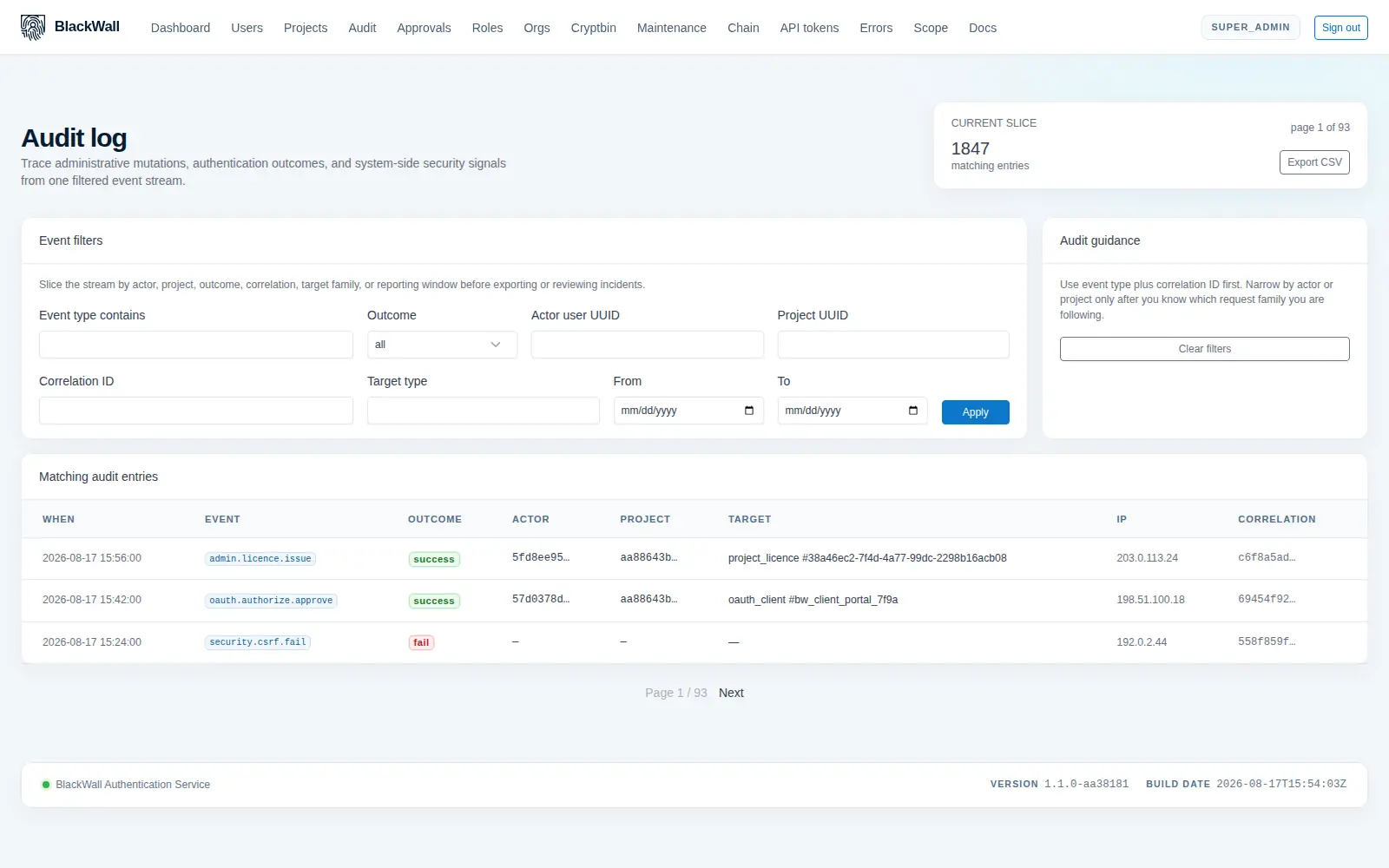
Every administrative mutation, every OAuth flow and every WebAuthn assertion — not a configurable subset.
Event type & outcome
A dotted action name such as oauth.authorize.approve, with a success, failure or informational outcome.
Correlation ID
Propagated from the inbound request header, so one end-user action can be traced across every service it touched.
Actor & target
User, project, OAuth client, WebAuthn credential and target object, each identified without exposing secrets.
Request origin
Source IP address and user agent, derived from validated request headers rather than trusted blindly.
Know exactly what is running
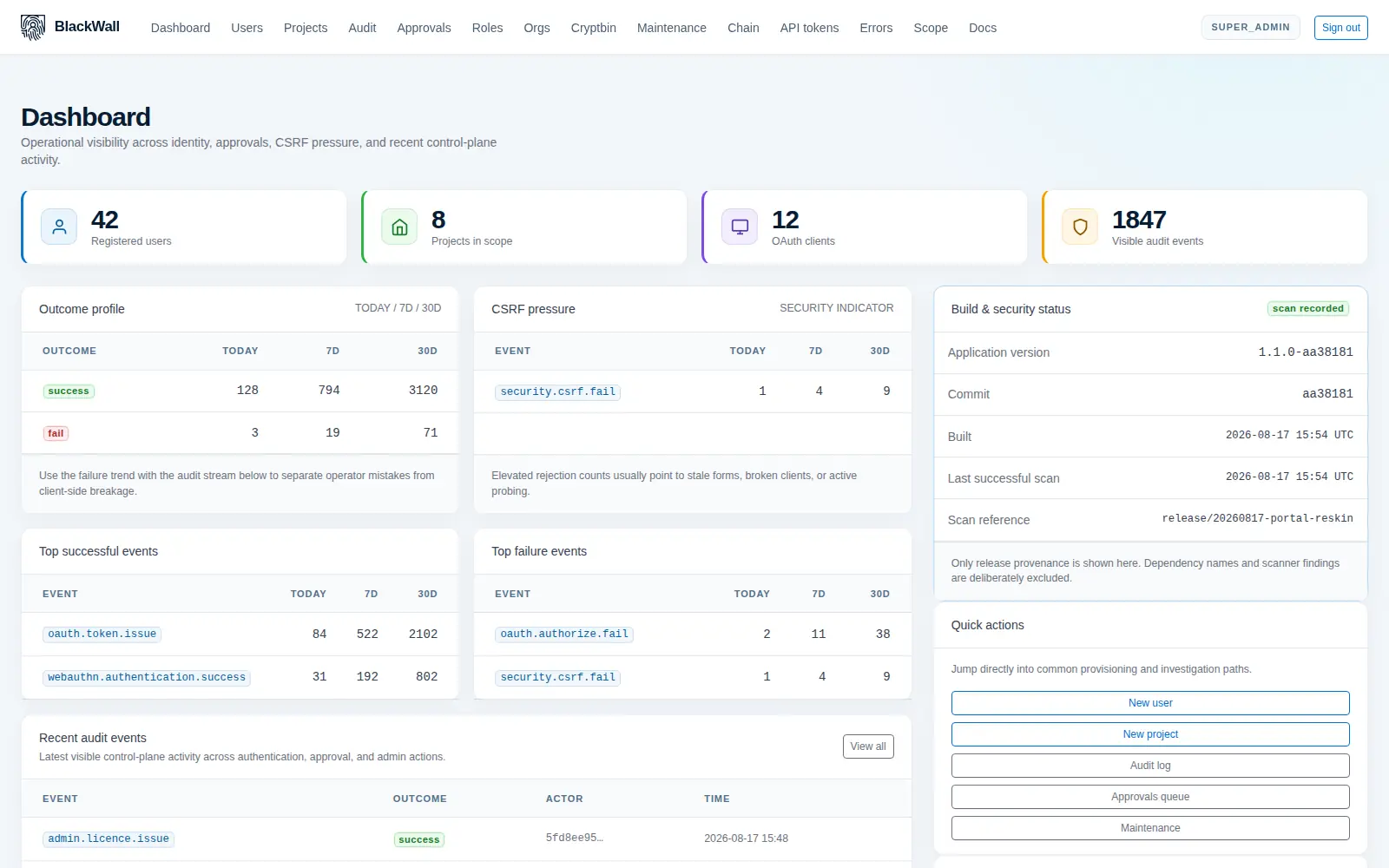
"Which version is in production?" should not require a deployment archaeologist. The dashboard states the running version, the commit it was built from, when it was built, and when it last passed a vulnerability scan.
- Release provenance — version, commit and build time, visible to any administrator.
- Scan attestation — the time of the last successful scan and an opaque reference for it.
- Deliberately minimal — package names and scanner findings are excluded, so the panel cannot become a shopping list for an attacker.
- Operational signal — outcome trends and CSRF pressure sit alongside it, so anomalies surface early.